

EN
EN

We are thrilled to announce that our mission to bridge communication gaps in hospitality has reached a new milestone. Both TMS Pro and GuestWeb now officially support Bahasa Indonesia and Vietnamese, delivering enhanced localized experiences for hotel teams and guests.
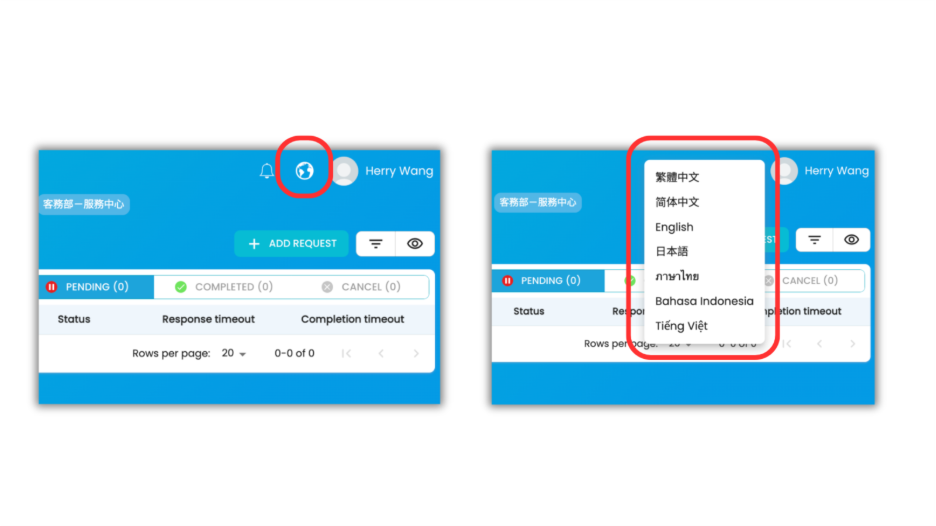
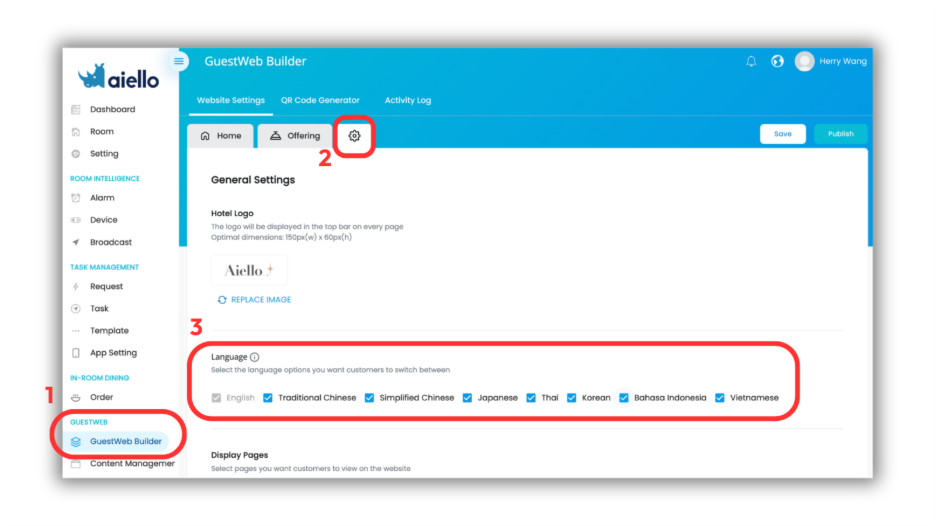
Once these additional languages are enabled, you can easily localize your existing GuestWeb content through the Builder or Content Management pages by simply adding translations to your sections or content blocks.
This update represents more than just a list of languages; it is a testament to our commitment to personalized hospitality. By offering localized workflow and content in a native language, you are taking a significant step toward achieving a truly global standard of service.
Ready to elevate your workflow and guest experience? Talk to us today to explore the possibilities for your property.