

EN
EN
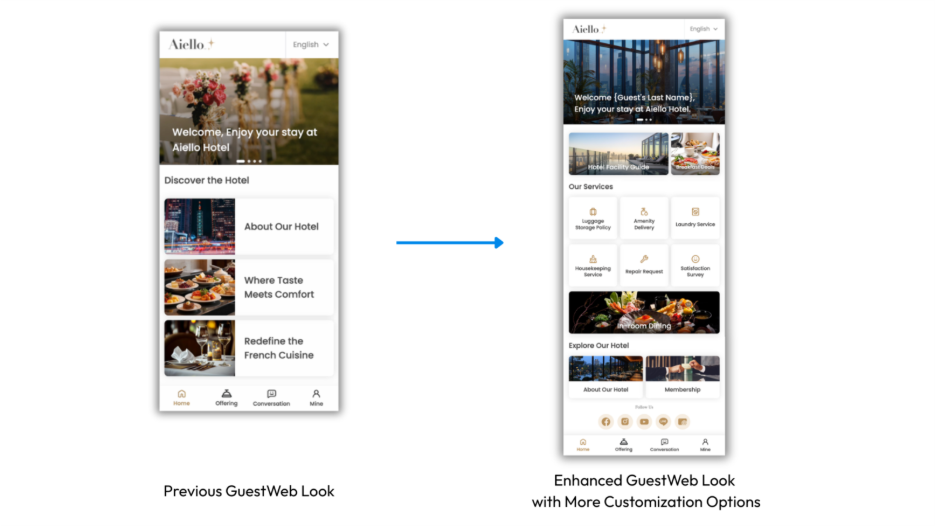
First impressions are key to hospitality. As the digital front door to your service, the GuestWeb interface is often the first point of interaction for your guests even before they arrive. We are excited to announce a major update to the GuestWeb tools, providing you with significantly more flexibility to personalize, organize, and connect with your guests directly from your homepage.
Highlighting your property's best amenities, dining options, and time-limited offers is now more creative and flexible. The new Featured Content tools move beyond standard grids to offer a customizable look and feel.
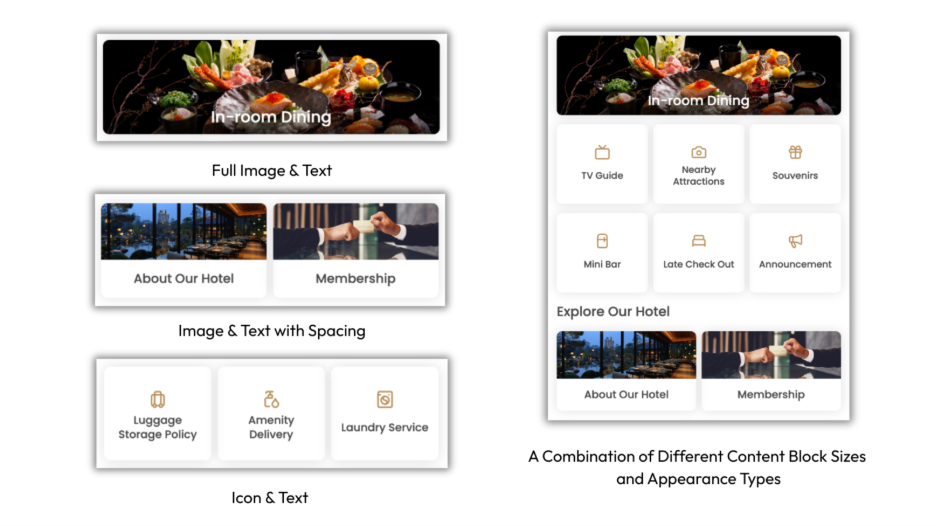
Variable Width Sizes: Choose between Small, Medium, Large, or Full-size blocks to build a unique visual style on your homepage.
Three Display Styles: Match your brand's aesthetic by selecting from full image with text, image and text with spacing, or a clean icon and text style.
1. Click Edit your Featured Content section.
2. Go to a specific content block and click the color palette icon (Edit Style).
3. Change to your desired size and appearance and design the homepage the way you like.
4. Click Save and Publish.
2. Dynamic Personalized Banners
The updated Banner Carousel now supports dynamic variables, allowing you to automatically personalize welcome messages for every guest.
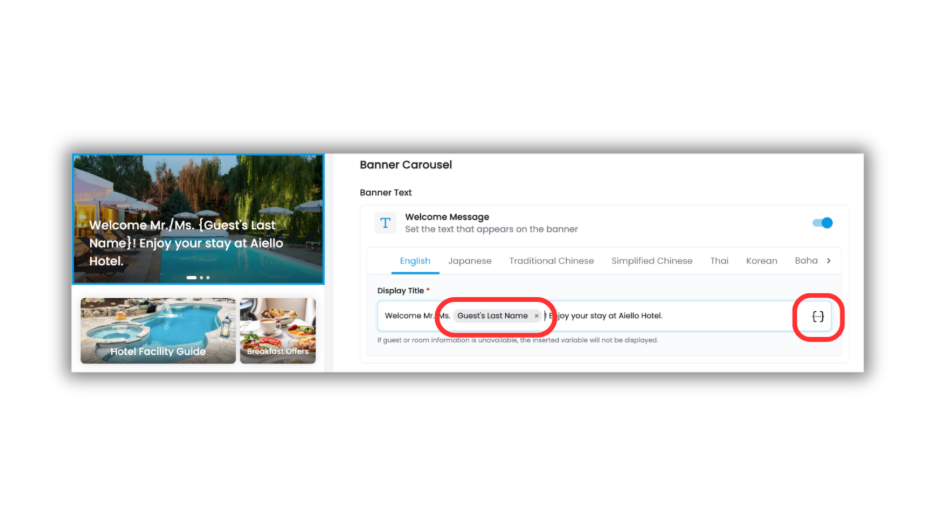
Use variables to automatically display the guest's last name, room number, or the property name to greet guests as soon as they log in.
How to add dynamic variables to your welcome message:
1. Click Edit your Banner Carousel section.
2. In the Display Title field, click the variable icon {...} on the right.
3. Add dynamic variables and combine them with your custom message.
4. Click Save and Publish.
Your social media presence is a key part of your brand story. We’ve added a dedicated Social Media Section at the bottom of the home page to help you connect your GuestWeb to your online community.
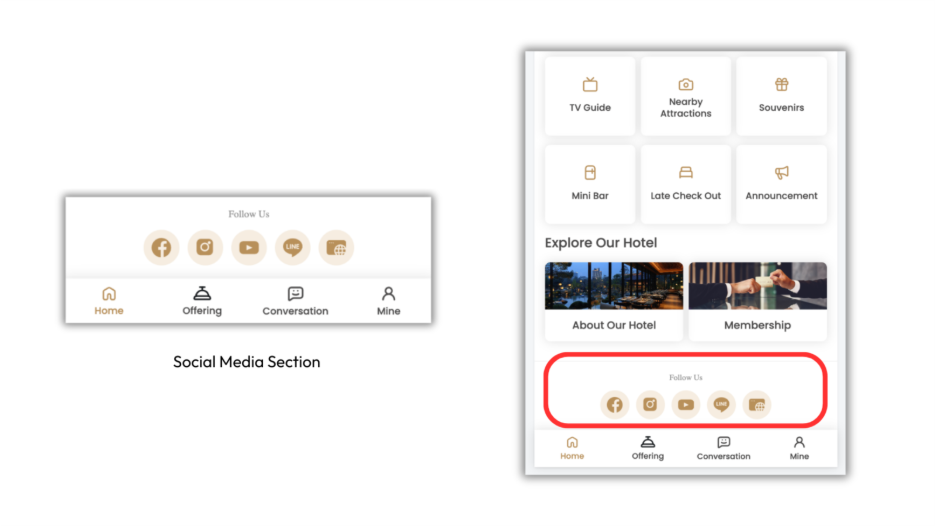
1. Click Edit on the Social Media section.
2. Toggle on the channels you want to display and provide the links.
3. Click Save and Publish.
These enhancements give you more control over the digital guest experience while keeping management simple. By utilizing dynamic personalization and flexible layouts, you can ensure your digital identity matches the high standard of service found within your physical property.
Need to elevate your guest experience? Talk to us to explore possibilities for your property.